LCD Screen Bleeding: Is It Normal and Can You Fix It?
Table of contents
LCD screen bleeding is light from the backlight escaping around the edges or corners of the panel. You see it as cloudy, brighter patches when the screen shows something dark. A small amount is normal on most LCD monitors and is not a fault. It becomes a problem when you can see it in a normally lit room, or when one bright patch pulls your eye during dark movies and games. In that case, the best fix is usually an exchange or a return, not a home repair.
What is LCD screen bleeding?
An LCD panel does not make its own light. A backlight sits behind it, and the liquid crystal layer acts like millions of tiny shutters that block or pass that light to form the picture. To show black, the shutters close. They never seal completely, and at the edges of the panel there is a small gap between the light source, the panel and the frame that holds them.
Bleed happens when light slips through those weak spots. It usually looks like pale, flashlight-like beams pointing in from a corner, or a soft glowing band along one edge. A related effect, clouding, shows as blotchy brighter areas further into the screen.

Bleed is different from a ghost image or burn-in. A burned-in mark has the shape of something you left on screen, such as a taskbar or a window. Bleed has no shape like that and does not depend on what you displayed earlier. If you suspect a ghost image, our guide to LCD monitor screen burn covers it.
Why does backlight bleed happen?
Bleed comes down to how the panel is built and held in place. Three things matter most.
Pressure from the frame. The panel is a stack of thin glass and plastic films clamped inside a metal or plastic frame. If the frame presses unevenly, it squeezes the liquid crystal layer. Squeezed crystals no longer line up properly, so they let light through even when they should block it. Over-tight screws, a bent bezel or a knock in shipping can all do this.
Manufacturing tolerances. Every panel is assembled slightly differently. Tape, films and frames are never perfectly even, so two monitors of the same model can look quite different on a black screen. That makes every new LCD a small panel lottery.
Backlight design. Most monitors are edge-lit. A strip of LEDs runs along one or more edges, and a light guide spreads that light across the back of the panel. Because the light enters at the edges, that is where it is strongest and where leaks are most likely. Full-array backlights put the LEDs directly behind the panel, which usually spreads light more evenly at the edges.
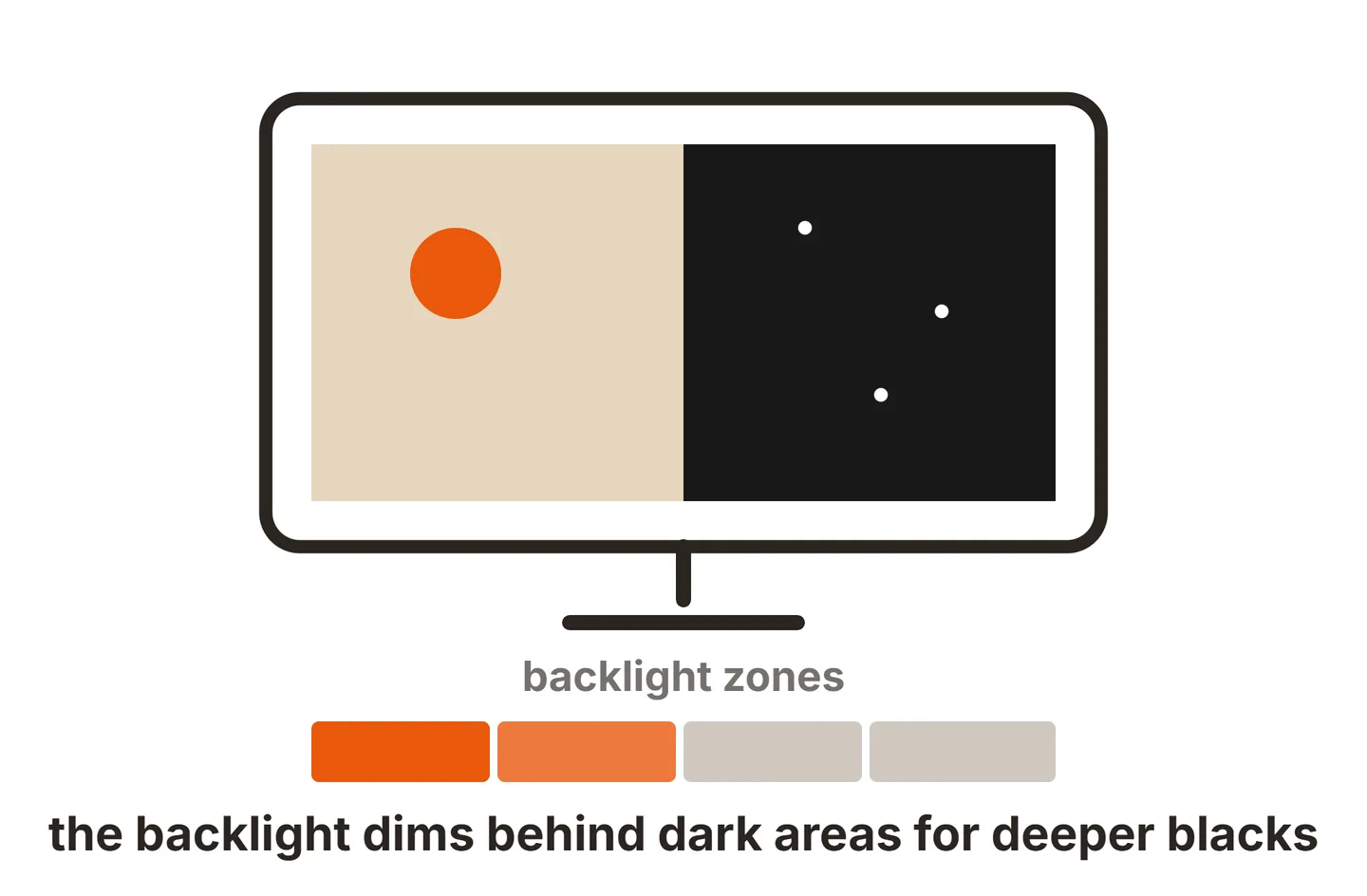
Monitors with full-array local dimming, including mini-LED models, have their own artifact called blooming. That is a halo around bright objects on a dark background, caused by a backlight zone lighting up larger than the object. It moves with the content, while bleed stays fixed to the edges. OLED monitors avoid both, because each pixel makes its own light and simply turns off for black. That is a big part of why OLED monitors cost more, and why HDR on an OLED monitor looks so clean in dark scenes.
How to test for backlight bleed fairly
The goal is to see the monitor the way you will use it, not under the harshest possible conditions. A black screen at full brightness in a pitch-dark room will show bleed on almost any LCD.
Let it warm up
Leave the monitor on for about 30 minutes so the backlight and panel reach normal temperature.Set your usual brightness
Use the brightness you actually work or game at. Bleed grows as brightness goes up.Dim the room, but not to black
Turn off the main lights and leave a lamp on, like an evening setup.Show a full black image
Open a black image in full screen, or play a dark movie scene with black bars.Sit where you normally sit
Look straight at the center of the screen from your usual distance, then move your head a little. Patches that stay fixed are bleed. Patches that shift or fade are IPS glow.
Two things often throw people off. First, cameras exaggerate bleed. A phone pointed at a black screen raises its exposure to see something, which turns a faint leak into a bright beam. If you want a photo for a return claim, lock the exposure low so the picture matches what your eyes see. Second, IPS panels add a corner glow on top of any bleed. Our guide to IPS glow vs backlight bleed explains how to tell the two apart.
While the screen is black, also check for single bright dots. Those are stuck pixels, a separate fault covered in our LED monitor dead pixel guide.
How much backlight bleed is normal?
There is no single industry standard for how much bleed is acceptable, so each brand sets its own limit. Dell’s support guide on light leakage on laptop screens is a useful benchmark. It treats edge leakage you only notice in a dark room as normal, and bright spots clearly visible in normal room lighting as outside its specification.
A practical way to judge your own monitor:
- Normal: faint lightening in one or two corners, only on a black screen with the lights off.
- Borderline: patches you notice during dark scenes in movies or games, but not in daily work.
- Return-worthy: bright beams or hot spots you can see with the room lights on, bleed that reaches well into the picture, or bleed that appeared after shipping damage.
If yours falls in the last group, act inside the retailer’s return window, which is often 14 to 30 days. Exchanges are usually faster than a warranty claim, and a second unit of the same model often has much less bleed.
Can you fix screen bleeding?
You cannot remove bleed completely without changing the panel. You can make it far less visible, and sometimes you can ease bleed caused by pressure. Start with the safe steps and stop there unless the monitor is out of warranty.
Lower the brightness. This is the most effective fix. Less backlight means less light to leak. If your monitor has a dynamic contrast mode, note that it can raise the backlight on bright scenes and make bleed jump in and out. Our guide to DCR on a monitor explains how it works.
Add bias lighting. A soft light strip or lamp behind the monitor raises the light around the screen, so your eyes are less sensitive to small leaks. It also helps with eye strain in dark rooms.
Check for pressure. Remove anything touching the panel or bezel, such as a webcam clamp, a light bar pressing too hard, or a tight cable tie. Some monitors have screws around the back of the frame. Loosening a screw near the worst corner by a quarter turn can relieve pressure and reduce bleed. Do this only with the monitor off and flat on a soft surface, never force the bezel, and check your warranty terms first, since opening or modifying a monitor can void it.
Do not press or tape the panel. Rubbing the bleed area or opening the monitor to tape the edges risks cracks, pressure marks and dead lines, and it ends any warranty claim.
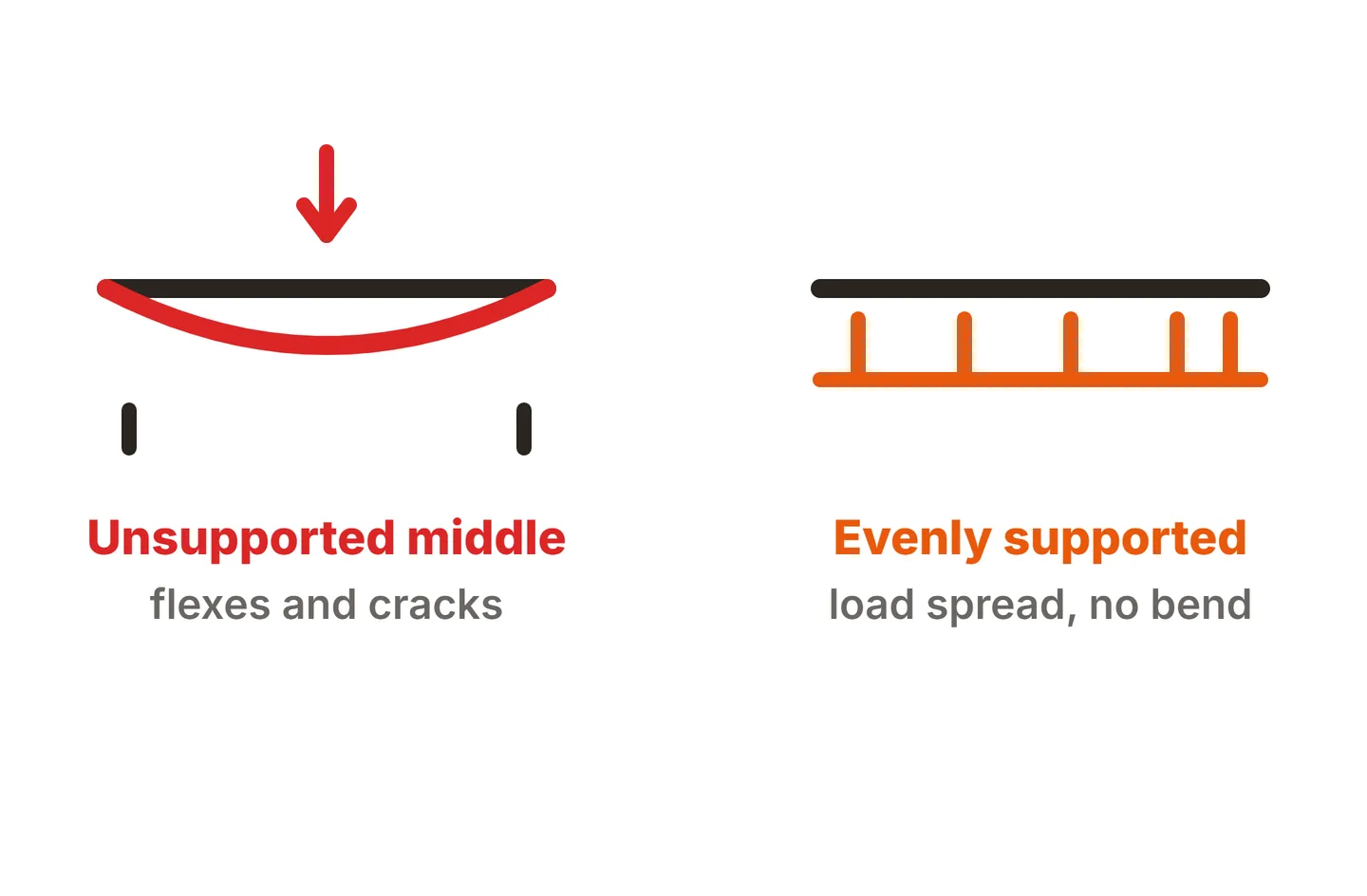
To stop new bleed from appearing, avoid pressing on the screen and never carry a monitor by its panel. Our guide on how to transport computer monitors covers safe packing for a move. If you see other faults alongside the bleed, such as flicker or lines, our monitor screen issues guide helps you sort them out.
Conclusion
LCD screen bleeding is backlight escaping at the panel edges, and a little of it is normal on most LCD monitors. Judge it fairly at your usual brightness in a dim room, with your eyes, not a phone camera. If it only shows on a black screen with the lights off, lower the brightness, add bias lighting and enjoy the monitor. If you can see it in normal lighting, exchange or return it while you still can. For more fixes, see our troubleshooting guides or the full SubInsider monitor knowledge base.
Frequently asked questions
Does backlight bleed get worse over time?
Usually not by much. Bleed comes from how the panel sits in its frame, so it tends to stay about the same for the life of the monitor. It can get worse after a knock or if something presses on the frame. Photograph it on day one so you can compare later.
Is backlight bleed covered by warranty?
Sometimes. Most brands treat mild bleed that only shows on a black screen in a dark room as normal. Bleed that is clearly visible in normal room lighting, or a bright hot spot, is more likely to be accepted as a defect. Your retailer's return window is usually the easier route.
Can backlight bleed damage my monitor?
No. Bleed is light escaping where it should not, not a fault that spreads to other parts of the monitor. It does not harm the backlight, the panel or your computer. The only downside is how it looks on dark content, which is why it bothers some people far more than others.
Do all LCD monitors have backlight bleed?
Most have at least a trace of it if you look at a black screen in a pitch-dark room. How much varies between models and even between two units of the same model. Many units show almost none in normal use, so a bad one is often fixed by an exchange.
Is screen bleeding the same as IPS glow?
No. Bleed is light leaking at a fixed spot near the edges, and it stays put when you move your head. IPS glow is a hazy shine in the corners that changes or fades as you shift your viewing angle. Glow is a trait of IPS panels, while bleed can happen on any LCD.