QHD vs OLED: Resolution vs Panel Type Explained
Table of contents
QHD vs OLED is not an either-or choice. QHD is a screen resolution, 2560x1440 pixels, and OLED is a panel technology where every pixel makes its own light. They describe different parts of a monitor, so one monitor can be both. A 27-inch QHD OLED is one of the most common OLED monitors you can buy. The question worth asking is whether you want a QHD OLED or a QHD LCD (IPS or VA), and whether QHD is the right resolution next to 1080p and 4K.
Why QHD and OLED are not opposites
Every monitor spec sheet answers two separate questions. How many pixels are there? And what kind of panel lights them? The resolution answers the first. The panel type answers the second.
Mixing the two is like comparing “1080p vs IPS.” It sounds like a choice, but you could buy a 1080p IPS monitor, a QHD IPS monitor or a 4K IPS monitor. The same goes for OLED. LG’s UltraGear 27GR95QE is one example: LG lists it as a 27-inch QHD (2560 x 1440) OLED display with a 240Hz refresh rate.
| Question | QHD | OLED |
|---|---|---|
| What it is | A resolution | A panel technology |
| What it controls | Sharpness and screen space | Contrast, black level, motion, brightness |
| Alternatives | 1080p (FHD), 4K (UHD), 5K | IPS, VA and TN LCD, Mini LED LCD |
| Can you get both? | Yes, as a QHD OLED | Yes, as a QHD OLED |
What QHD means
QHD stands for Quad HD. It is 2560x1440 pixels, which is exactly four times the pixels of 720p HD (1280x720). That is where the “quad” comes from. You will also see it sold as 1440p, WQHD (the W stands for wide, since it is 16:9) and sometimes 2K.
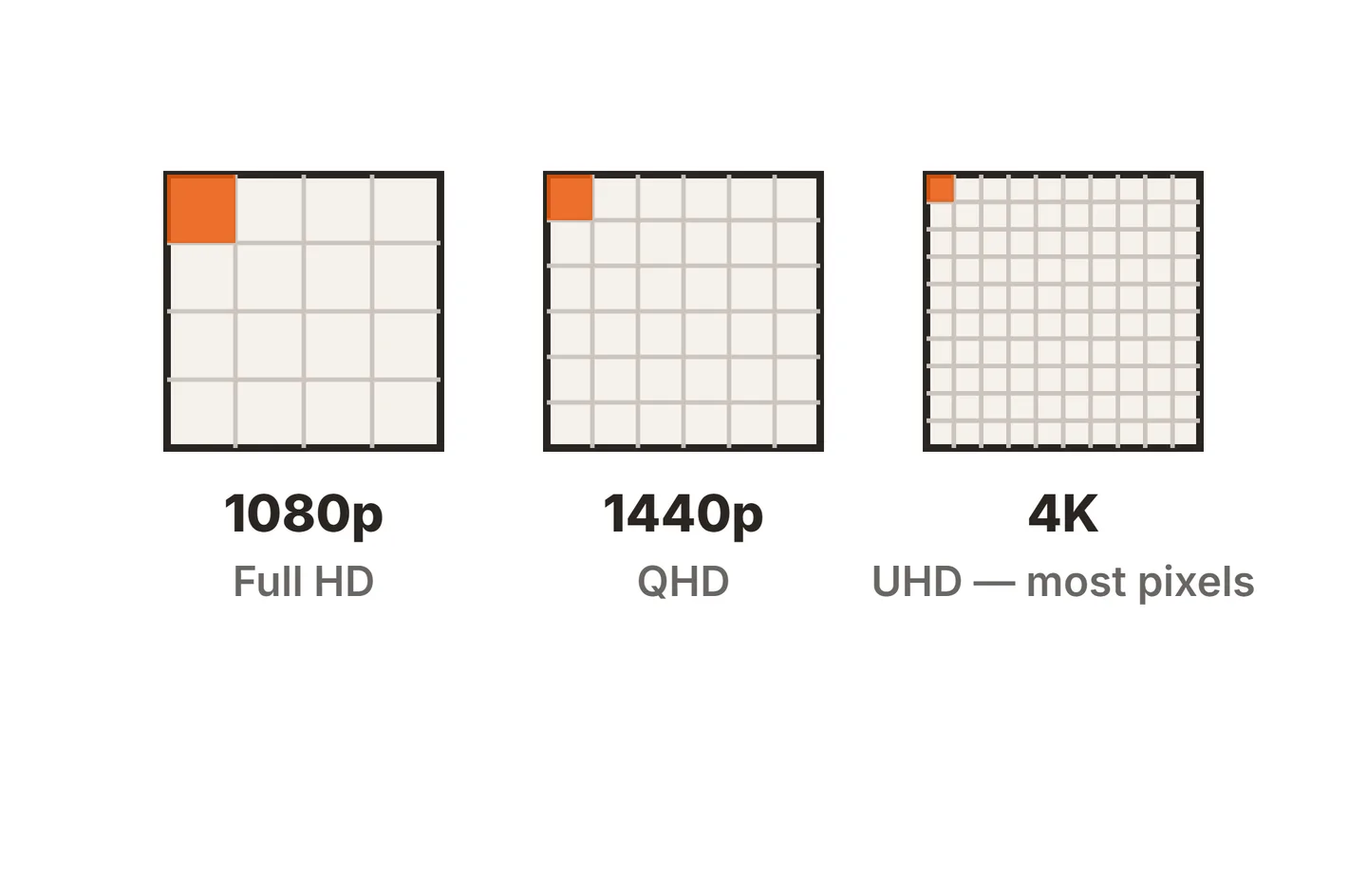
What resolution really changes is pixel density, measured in pixels per inch (PPI). More pixels on the same size screen means smaller pixels, so text and edges look smoother. Here is how the three common resolutions work out:
| Resolution | Pixels | 24-inch | 27-inch | 32-inch |
|---|---|---|---|---|
| FHD 1920x1080 | About 2.1 million | 92 PPI | 82 PPI | 69 PPI |
| QHD 2560x1440 | About 3.7 million | 122 PPI | 109 PPI | 92 PPI |
| 4K 3840x2160 | About 8.3 million | 184 PPI | 163 PPI | 138 PPI |
These are plain geometry, so they hold for any monitor of that size and resolution, OLED or LCD.
Is QHD 4K?
No. QHD is 2560x1440 and 4K UHD is 3840x2160. 4K has 2.25 times as many pixels as QHD, and four times as many as 1080p.
The “2K” label causes most of the confusion. In cinema, 2K means 2048x1080, which is closer to 1080p than to QHD. On monitor boxes, 2K is a loose marketing name for 1440p. Neither use makes it 4K. If you want true 4K sharpness, look for 3840x2160 on the spec sheet, not a “K” number on the box.
QHD is also a lot lighter to run. Your graphics card renders about 3.7 million pixels per frame instead of 8.3 million, which is why 1440p is the usual pick for high refresh rate gaming. If you already own a 4K screen and want those frame rates, our guide on playing at 1440p on a 4K monitor covers how to scale it cleanly.
FHD vs QHD: is the upgrade worth it?
For most people at 27 inches, yes. At that size 1080p drops to about 82 PPI, and you can see the pixel structure on text from a normal desk distance. QHD at about 109 PPI looks clearly sharper and gives you a third more pixels in each direction, so two documents fit side by side without squinting.
At 24 inches, FHD holds up better at about 92 PPI, and it keeps both the price and the GPU load low. That makes 24-inch 1080p a fair budget pick, especially for esports games where frame rate matters more than detail.
If you are weighing the jump all the way to 4K instead, our 4K vs 1080p comparison goes through when that extra sharpness pays off. And if 27 inches sounds large for your desk, check whether a 27-inch monitor is too big for your viewing distance first.
QHD OLED vs QHD LCD: the real comparison
Once you fix the resolution at 1440p, the panel type decides how the picture looks. This is the choice most “QHD vs OLED” shoppers are really making.
How each panel makes an image
An LCD has a backlight that is always on behind the panel. Liquid crystals and filters then block or pass that light to form the picture. Even a black pixel lets a little light through, so blacks look dark gray in a dim room.

OLED has no backlight. Each pixel makes its own light and can switch fully off. That gives true black and contrast that LCDs cannot match without local dimming. It is also why OLED has no IPS glow or backlight bleed. VESA even runs separate DisplayHDR True Black tiers in its DisplayHDR performance criteria, with a far stricter black level limit than its standard tiers.
Side by side at 1440p
| Trait | QHD OLED | QHD IPS / VA LCD |
|---|---|---|
| Black level | True black, pixels switch off | Dark gray; VA is deeper than IPS |
| Contrast | Per-pixel, effectively unlimited | About 1000:1 IPS, about 3000:1 VA |
| Motion clarity | Near-instant pixel response | Good on fast IPS, slower dark transitions on many VA |
| Full-screen brightness | Lower; dims on large bright areas | Steady and usually higher |
| Burn-in risk | Yes, with long static content | No permanent burn-in |
| Text clarity | Can show color fringing (non-RGB subpixels) | Clean on standard RGB stripe |
| Price | Higher | Lower, wide range of budgets |
Where OLED wins
Dark scenes are where OLED pulls ahead. Space games, horror titles and movies in a dark room look far more solid, because black stays black right next to bright highlights. HDR also looks better for the same reason, though OLED monitors have limits there, which our guide to HDR on an OLED monitor explains.
Motion is the other big win. OLED pixels change state almost instantly, so fast games look cleaner and smear less than on most LCDs at the same refresh rate.
Where LCD wins
LCDs are better for bright rooms and long static sessions. An IPS backlight holds the same brightness on a full white spreadsheet as it does on a small window, while most OLED monitors dim when large areas turn bright.
Text is the second point. A standard LCD lays out its subpixels in a red, green, blue stripe, which Windows text smoothing expects.

WOLED panels add a white subpixel, and QD-OLED panels use a triangle layout. Both can show faint colored fringes on small text. Higher pixel density hides this, so it shows more on a 27-inch QHD OLED than on a 4K OLED of the same size.
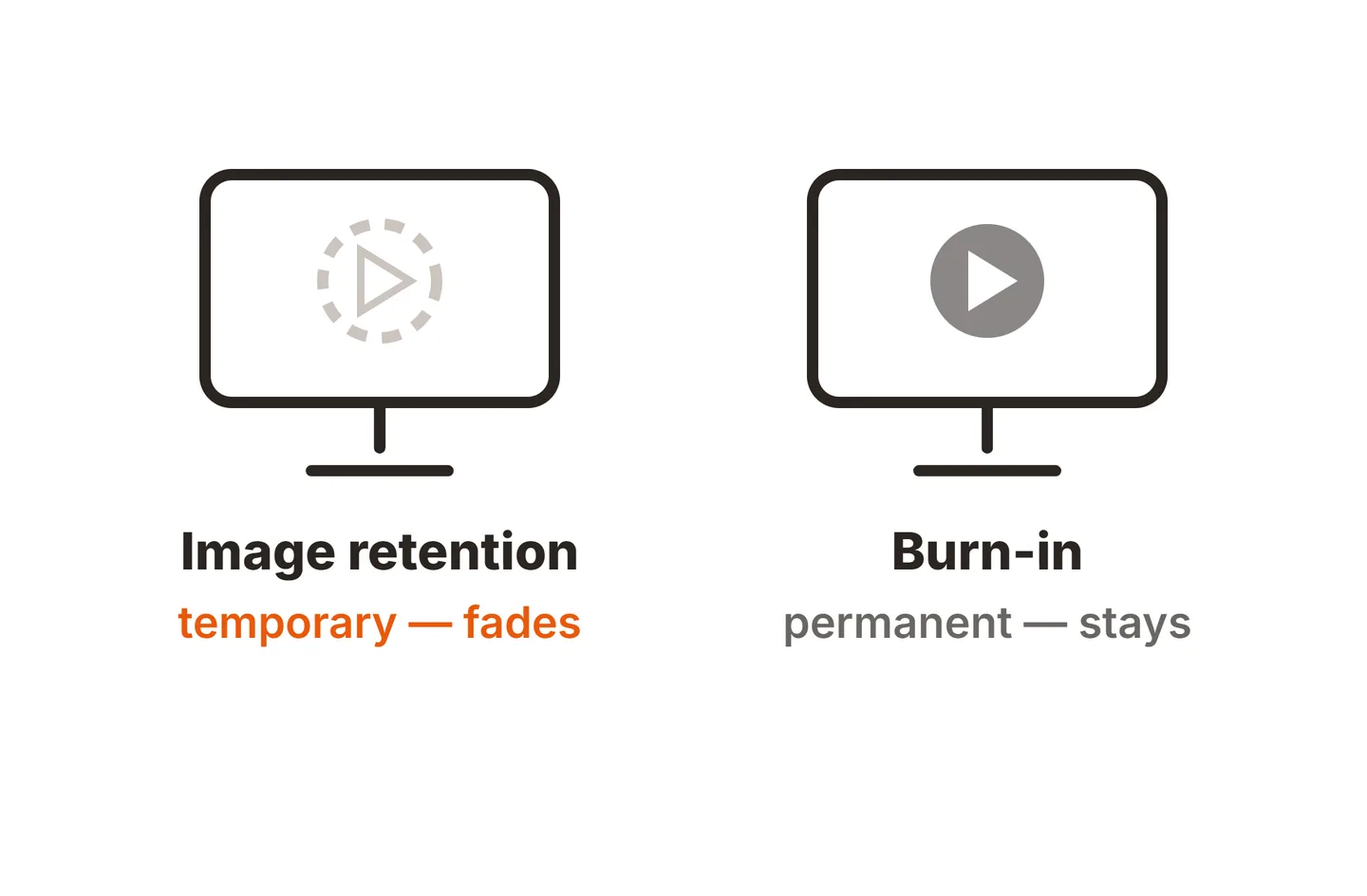
Burn-in is the third. Static elements like a taskbar, docked chat window or game HUD wear OLED pixels unevenly over many hours. LCDs can show temporary image retention, covered in our guide to LCD monitor screen burn, but not permanent OLED-style wear.
Finally there is price. A QHD OLED costs more than a QHD IPS with the same refresh rate, and our article on why OLED monitors are expensive explains where that premium comes from.
Which one should you buy?
Pick by how you use the screen, not by the label.
- Mostly gaming and movies, dim room: a 27-inch QHD OLED. You get the contrast and motion OLED is known for, at a resolution a mid-range GPU can drive at high frame rates.
- Competitive gaming on a budget: a QHD IPS with a high refresh rate. Our guide on whether 165Hz is good for gaming helps you pick the refresh rate.
- Office work, coding, long static sessions or a bright room: a QHD IPS. Sharp text, steady brightness and no burn-in worry.
- Photo or text-heavy work where sharpness matters most: consider 4K at 27 or 32 inches, OLED or LCD, rather than QHD.
- Tight budget at 24 inches: FHD IPS or VA is still a sensible choice.
Conclusion
QHD vs OLED is a comparison of two different specs. QHD is the 2560x1440 resolution, and OLED is the panel that lights it, so a QHD OLED gives you both. At 1440p, pick OLED for dark-room gaming, movies and motion, and pick an IPS or VA LCD for bright rooms, static work and lower cost. QHD is not 4K, but it is the sweet spot for 27-inch screens. For more help choosing, see our buying guides or browse the full SubInsider monitor knowledge base.
Frequently asked questions
Is QHD better than OLED?
Neither is better, because they describe different things. QHD tells you how many pixels a screen has, and OLED tells you how those pixels make light. A QHD OLED monitor has both. Compare a QHD OLED against a QHD IPS or VA monitor instead, and choose based on room lighting, budget and how much static content you run.
Is QHD the same as 4K?
No. QHD is 2560x1440, about 3.7 million pixels. 4K UHD is 3840x2160, about 8.3 million pixels, so 4K has 2.25 times as many. QHD is sometimes sold as 2K, but it is a step below 4K in sharpness and a lot easier for a graphics card to run.
Is FHD or QHD better for a 27-inch monitor?
QHD. A 27-inch 1080p screen has about 82 pixels per inch, so text and edges look soft at a normal desk distance. A 27-inch QHD screen has about 109, which looks clearly sharper and gives you more room for windows. FHD still works well on 24-inch screens, where it reaches about 92.
Does a QHD OLED monitor get burn-in?
It can. Burn-in comes from the OLED panel, not the resolution, so any OLED monitor carries the risk. Static taskbars, logos and game HUDs left on screen for long hours wear those pixels faster. Built-in pixel refresh, auto-hiding the taskbar and a dark wallpaper rotation all lower the risk, and some makers add burn-in warranty cover.
What does OLED QHD mean on a spec sheet?
It means the monitor uses an OLED panel with a native resolution of 2560x1440. The OLED part covers contrast, black level and motion. The QHD part covers sharpness and how much fits on screen. Check the refresh rate and the subpixel type (WOLED or QD-OLED) next, since those vary between models.