How Wide Is a 27 Inch Monitor? Dimensions Chart in Inches and cm
Table of contents
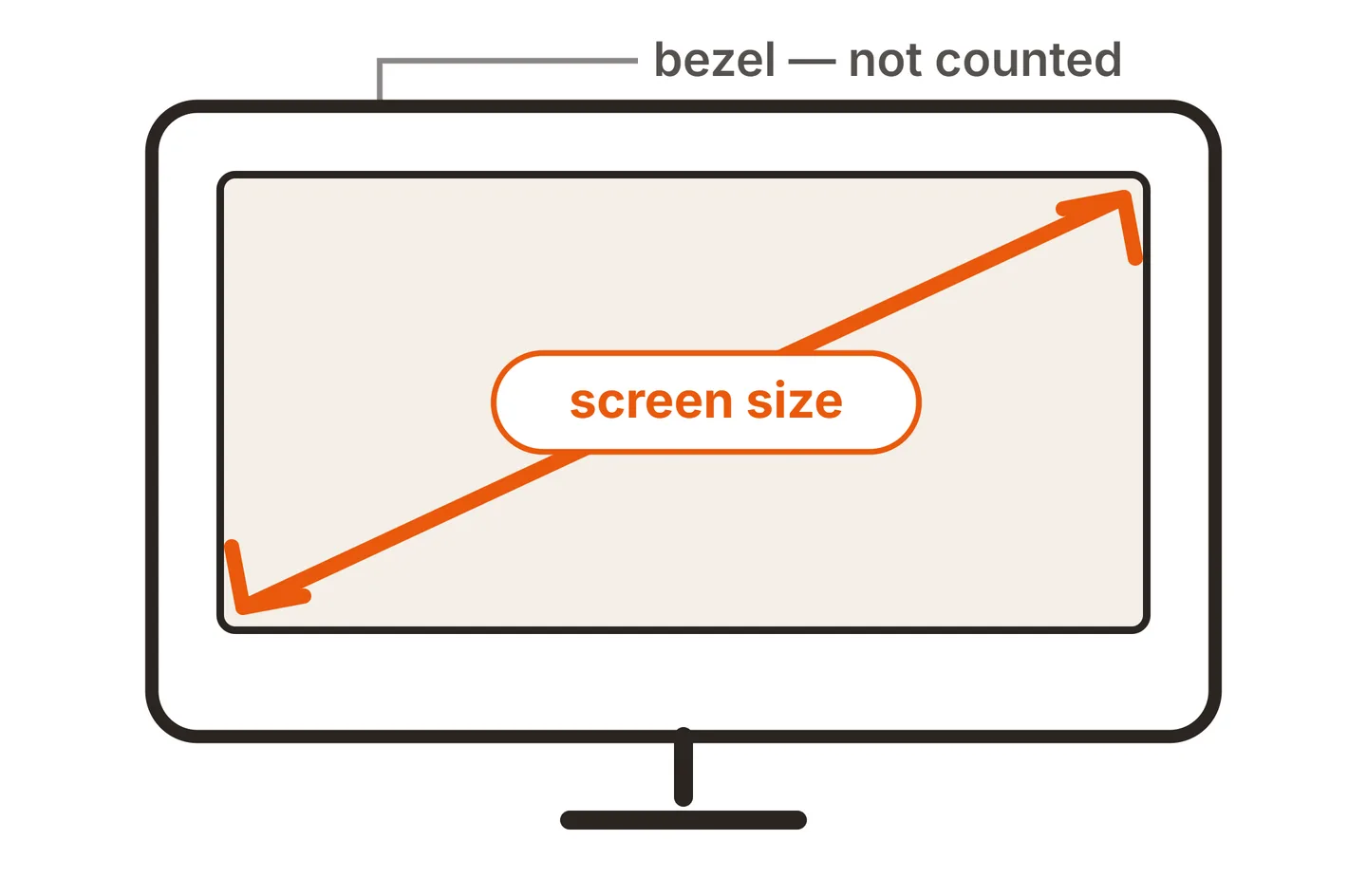
A 27 inch monitor has a screen about 23.5 inches (59.8 cm) wide and 13.2 inches (33.6 cm) tall, assuming the standard 16:9 shape. Those numbers describe the visible picture only, because the 27 inches is measured on the diagonal. The bezel and stand make the whole monitor a little wider and a lot taller, so use the spec sheet for desk planning.
Why the size on the box is not the width
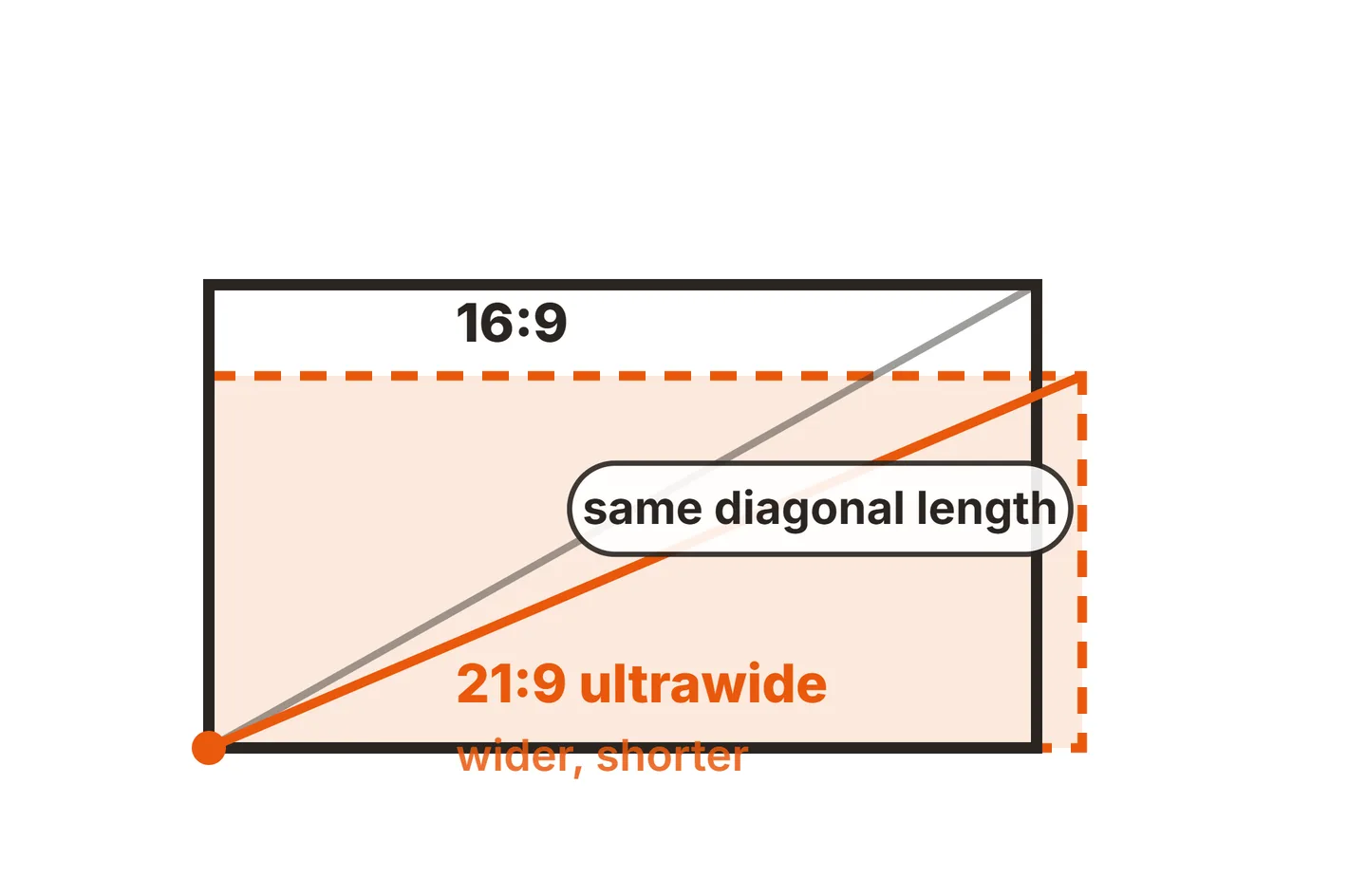
Monitor sizes are measured corner to corner across the lit screen, not across the bottom edge. A wider shape spreads the same diagonal into more width and less height. Our guide to how monitor size is measured covers the history and how to check your own screen with a tape measure.
The formula
Width and height come from the diagonal and the aspect ratio using Pythagoras. For a 16:9 screen, the diagonal of a 16 by 9 rectangle is the square root of 337 (16 squared plus 9 squared), which is about 18.36. So:
- Width = diagonal x 16 / √337, or diagonal x 0.872
- Height = diagonal x 9 / √337, or diagonal x 0.490
For 27 inches that gives 27 x 0.872 = 23.5 inches wide and 27 x 0.490 = 13.2 inches tall. To convert to centimeters, multiply by 2.54, the exact value of the inch set by international agreement and documented by NIST.
Ultrawide screens use the same method with their own ratio. For 21:9, divide by √522 (about 22.85). For 32:9 super ultrawides, divide by √1105 (about 33.24).
Monitor dimensions chart
All figures below are for the visible screen area, rounded to one decimal place.
| Size and ratio | Width | Height | Width x height (cm) | Screen area |
|---|---|---|---|---|
| 21.5 in (16:9) | 18.7 in | 10.5 in | 47.6 x 26.8 cm | 198 sq in |
| 22 in (16:9) | 19.2 in | 10.8 in | 48.7 x 27.4 cm | 207 sq in |
| 24 in (16:9) | 20.9 in | 11.8 in | 53.1 x 29.9 cm | 246 sq in |
| 27 in (16:9) | 23.5 in | 13.2 in | 59.8 x 33.6 cm | 312 sq in |
| 32 in (16:9) | 27.9 in | 15.7 in | 70.8 x 39.8 cm | 438 sq in |
| 34 in (21:9) | 31.3 in | 13.4 in | 79.4 x 34.0 cm | 419 sq in |
| 49 in (32:9) | 47.2 in | 13.3 in | 119.8 x 33.7 cm | 626 sq in |
A few notes on reading the chart:
- 22 inch monitor dimensions. Many monitors sold as 22 inch are really 21.5 inch panels, so the screen is about 18.7 x 10.5 inches rather than 19.2 x 10.8.
- 24 inch monitor size reference. The same applies at 24 inches. A lot of “24 inch” monitors use 23.8 inch panels, which measure about 20.7 x 11.7 inches (52.7 x 29.6 cm).
- 34 inch ultrawides. Most use a 3440 x 1440 resolution, which is slightly wider than true 21:9. That works out to about 31.4 x 13.1 inches, within a fraction of an inch of the chart.
The display size article on Wikipedia lists the same geometry for many more diagonals if you need a size that is not here.
27 inch monitor height
The screen itself is about 13.2 inches (33.6 cm) tall. That is a little taller than a US Letter or A4 page, which is why a 27 inch screen can show a full document page close to actual size. Turned to portrait, it stands about 23.5 inches tall and 13.2 inches wide, which suits flat panels well; a curved monitor vertical is a different story.
The height of the whole monitor depends on the stand. Fixed stands keep it fairly low, while height adjustable stands can raise the top of the screen several inches. The spec sheet usually lists the minimum and maximum height with the stand, and a separate figure without it. Use the “without stand” number if you plan to mount it on an arm, and see our mounting guides for VESA fitting.
How much bigger is 32 inch than 27 inch?
A 32 inch monitor has about 40 percent more screen area than a 27 inch one. The diagonal only grows by 18.5 percent (32 / 27 = 1.185), but width and height both grow by that amount, so the area grows by the square: 32² / 27² = 1024 / 729 ≈ 1.40.
In real numbers, the 32 inch screen is 27.9 inches wide against 23.5, so about 4.4 inches (11 cm) wider, and 15.7 inches tall against 13.2, about 2.5 inches (6.2 cm) taller. That extra height is what makes 32 inch screens feel so much larger in person. It also means you should sit a little further back.

Our guide to a good size monitor for gaming covers viewing distance for each size, and if you are still deciding whether the size suits your desk, read is a 27 inch monitor too big.
The same square rule works for any pair. A 27 inch screen has about 27 percent more area than a 24 inch one, and a 32 inch screen has about four times the area of a 16 inch one, as our 16 inch vs 32 inch comparison shows.
Real outer dimensions: bezel and stand
The chart tells you the size of the picture, not the box you need room for. Before buying, check three figures on the manufacturer’s spec sheet:
- Width without stand. This is the true outer width, including the bezel. Thin bezel models add only a fraction of an inch, older or thicker designs add more.
- Height with stand. Note both the lowest and highest positions on an adjustable stand.
- Stand depth. The foot of the stand decides how far back the screen sits on a shallow desk.
For a quick desk check, add the screen widths from the chart and allow a little extra for bezels and for the gap between screens. Two 27 inch monitors side by side come to about 47 inches of glass, so plan on roughly 48 to 49 inches of width before you count speakers or a lamp. Studio speakers often sit on speaker isolation pads, so measure that footprint too. A single 27 inch screen leaves plenty of room on a typical 48 inch desk, while a 49 inch super ultrawide needs nearly that whole width on its own.
If you are choosing between sizes for design work, our piece on whether a 27 inch 5K monitor is enough for graphic design looks at workspace as well as physical size, and our monitor buying guides cover the rest of the decision.
Conclusion
A 27 inch 16:9 monitor has a screen about 23.5 inches wide and 13.2 inches tall, or 59.8 by 33.6 cm. Any 16:9 size follows the same rule: multiply the diagonal by 0.872 for width and 0.490 for height. Stepping up to 32 inches adds about 40 percent more screen. For the exact space the monitor takes on your desk, trust the spec sheet’s outer dimensions over the screen size.
For more on reading specs, see our monitor specs guides, or browse the rest of our monitor knowledge base.
Frequently asked questions
How tall is a 27 inch monitor?
The screen of a 27 inch 16:9 monitor is about 13.2 inches, or 33.6 cm, tall. With the stand fitted, the whole monitor often stands somewhere between about 16 and 22 inches tall, depending on the model and how far a height adjustable stand is raised, so check the spec sheet.
Is a 27 inch monitor too wide for a dual setup?
Two 27 inch screens side by side need roughly 48 to 49 inches of desk width once you allow for thin bezels, and more if the stands splay out. That fits most desks of 55 inches or wider, but on a narrower desk a monitor arm helps.
How much bigger is a 27 inch monitor than a 24 inch?
A 27 inch 16:9 screen is 12.5 percent wider and taller than a 24 inch one, about 2.6 inches more width. Because both sides grow, it has about 27 percent more screen area, which is easy to notice at desk distance.
Are all 27 inch monitors the same width?
Their screens are the same width if they share the 16:9 aspect ratio, which nearly all do. The outer width differs with bezel thickness and housing design, and a rare 16:10 model is slightly narrower and taller. The spec sheet lists the exact outer dimensions.